Don't miss a thing, without reading everything.
Chief of Stuff reads the school emails, WhatsApp groups and calendars you choose, and tells you each day what needs you, for each family member. Reply, pay or mark it done in a tap, or ask it to add something to your calendar or shopping list.
A privacy layer keeps your family's names and personal details on your own computer. You choose what the AI helps with, and what stays private.
Join the first familiesMia
Year 4 museum excursion, $28. Consent by Friday.Email from SchoolHub
OpenDoneHockey training 4:30 pm: shin pads, mouthguard.
DoneLeo
Sleepover at Sam's, Sat 5 pm. Reply by Thursday. Calendar is free.WhatsApp: 1B Parents
ReplyDoneBook Week parade Wed: costume.
DoneWhole family
Term 4 bus fees, $145, due Monday.
PayDoneThe Chief of Stuff app, working for my family now. – Tina
The mental load, gathered into one place
Notes from schools, a childcare app, a lunch-order app, the bus, sports clubs and a dozen WhatsApp groups. The messages that mattered for today are buried somewhere in there. This morning's training was in the calendar, but a work presentation took over your morning and no one made it to training. Chief of Stuff keeps you a step ahead of it all.
It reads what you choose
The WhatsApp groups, the school and club email senders, and the calendars you choose. Nothing else is opened. You don't forward anything or change how anyone talks to you.
It works out what matters
Its AI assistant picks out the permissions, payments, invitations, kit and one-off events, checks them against your calendar, and leaves the chatter out.
Clarity during the day
Open Chief of Stuff any time to see what needs you next, for each family member, up to date when you open it. Got a couple of minutes? Tap through a few to-dos: reply, pay or mark them done. Tell it about changes, like "we're not going to the party", and it updates.
Ready for tomorrow
Check it in the evening to stay ahead of what everyone needs tomorrow and later in the week: what's waiting on your approval, decision or action, new invitations that clash with your calendar, and what to get ready, like the present that needs to be purchased and wrapped, or the sports equipment for the new training season.
The admin being automated at work, now at home
At work, more and more is being automated or supported by technology, and someone in IT set it all up. At home there's no IT department and no spare time, so it all lands on whoever carries the everyday responsibilities. Chief of Stuff does it for your household, so your free time can be more quality time, and less life admin.
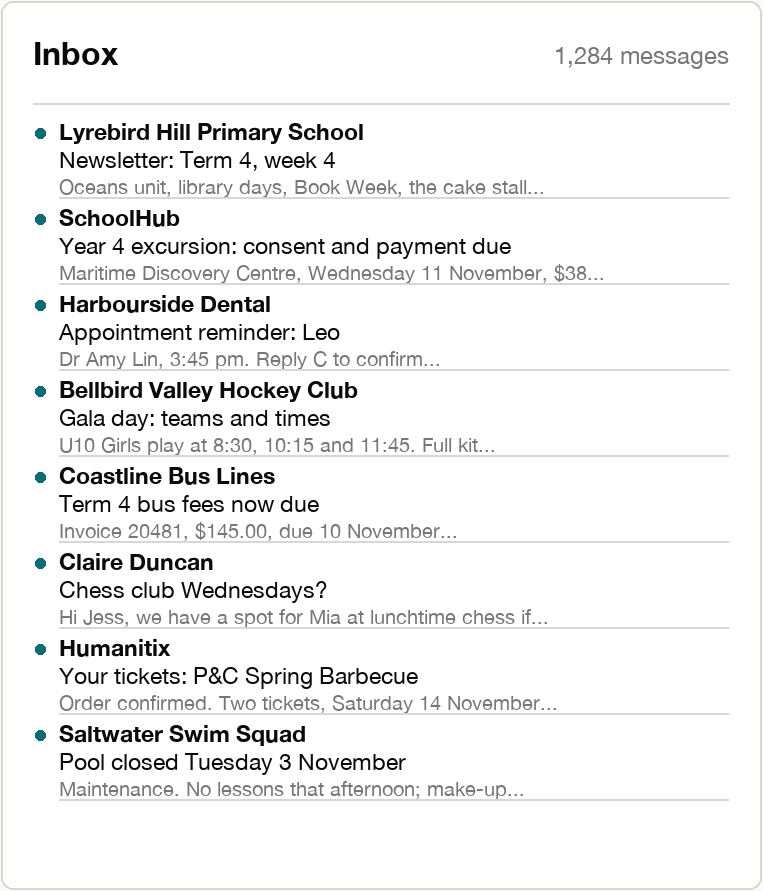
A zero inbox
No more weekends spent sorting the inbox and saving emails. Emails you've dealt with are filed out of the way, so your inbox only holds what still needs you.
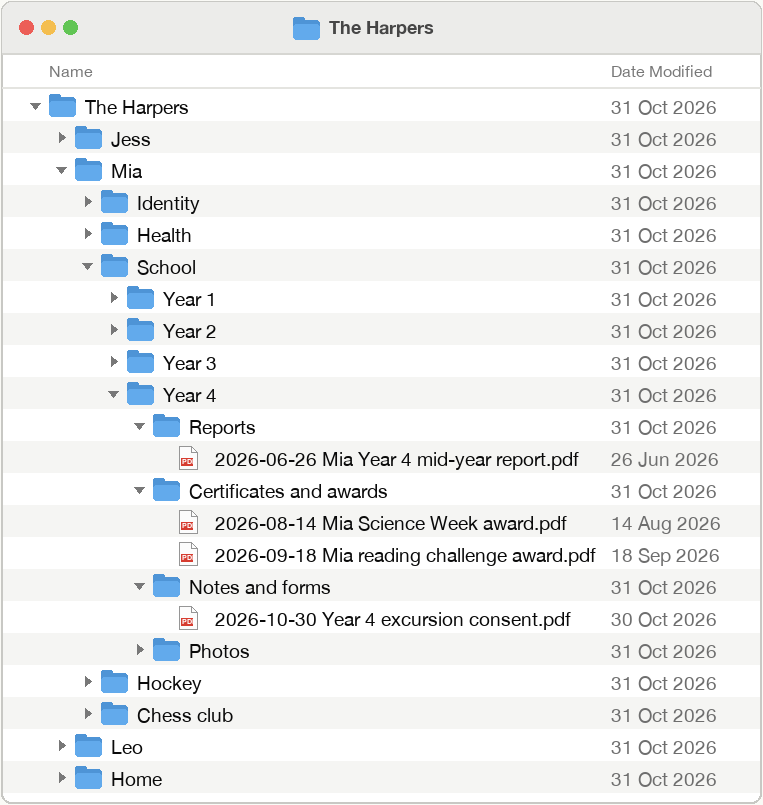
Your family's documents, kept for you
Reports, certificates, favourite work and forms saved in a folder for each person, named and dated, easy to find in seconds, and ready to hand to your children when they're adults.
Ask, and it's done
"We need milk" goes onto your shopping list; an appointment goes into your calendar when you tap Add.
Recipes onto the shopping list
Ask for a recipe from your own collection and its ingredients go onto your shopping list.
Your family's records, at home
Bring your documents and records home from cloud services, so the things that matter most are on your own computer, with a backup in the house.
Both parents, one list
On both your phones, and it knows when the other of you has already done it.
How the privacy layer works
Most AI assistants send your messages, as they are, to the company that runs the AI. Chief of Stuff doesn't. On your own computer, it swaps every name, school, place, phone number and health detail for a code before anything leaves. The AI only ever works with the codes, and the names are put back on your computer. Your family's details stay at home: not with the AI company, and not with us.
Hi all, Ava's party is at Riverside Park on Saturday at 2. Can you let Jess know by Thursday?
Hi all, P-7KQ3's party is at PL-M4TX on Saturday at 2. Can you let P-H82C know by Thursday?
RSVP: Ava's party, Riverside Park, Saturday 2 pm. Let Jess know by Thursday.
- Phone numbers, emails, addresses and links are always removed
- Personal health details never leave your computer; for a doctor's appointment, only the date and time are sent
- You can see exactly what was sent to the AI, and hide any word next time
- It only reads the email senders you choose
- Nothing is sent to anyone on your behalf
- You can mark any person or group as private: nothing about them is sent at all
- Your family's information lives on your computer, so it stays yours even if a service closes
How data is processed
- On your computer, the removal is careful, not perfect: a name that is also an ordinary word or information you'd rather stay private (a place, a time, a suburb) can get through. That's why you can see what's been sent and can always edit what's included.
- The AI company receives only that de-identified text, and under terms that stop it training on your data and delete anything received within 30 days. Like any website, it sees the time and the internet address of the computer that sent it.
- On the way to your phone, your overview is locked with a key only your phone has: only your phone can open it, and the service that carries it can't read it.
See it working
Why I built it
I built Chief of Stuff for myself. Three children, a dog, multiple schools, care providers, sports and activities, and more apps and WhatsApp groups than I could keep up with. To cut the overwhelm, this year I stayed out of some parent groups and silenced the rest, along with the apps. Then I started missing things that mattered. When work was busy, the children's events slipped past me, even when they were in the calendar. I use AI to keep on top of my professional work, but I wasn't willing to hand it my family's private details. So I built a solution that does the reading and sorting for me, and keeps the personal details at home.
It's working for my family now. If it would help yours, I'd love you to try it.
Tina Gallico, founder of Edaith

Join the first families
The first version runs on a Mac with an iPhone. Leave your details and I'll be in touch when you can have your own.
Your details are only used to contact you about Chief of Stuff.
Thank you. You're on the list, and I'll be in touch.